You’ve done the work, delivered the product, and sent the invoice. All that’s left is sitting back, waiting for that sweet notification that the funds have hit your account. A week goes by. Then two. You finally work up the nerve to send a “just checking in” email, only for your client to reply: “I haven’t received an invoice. Are you sure you sent it?”
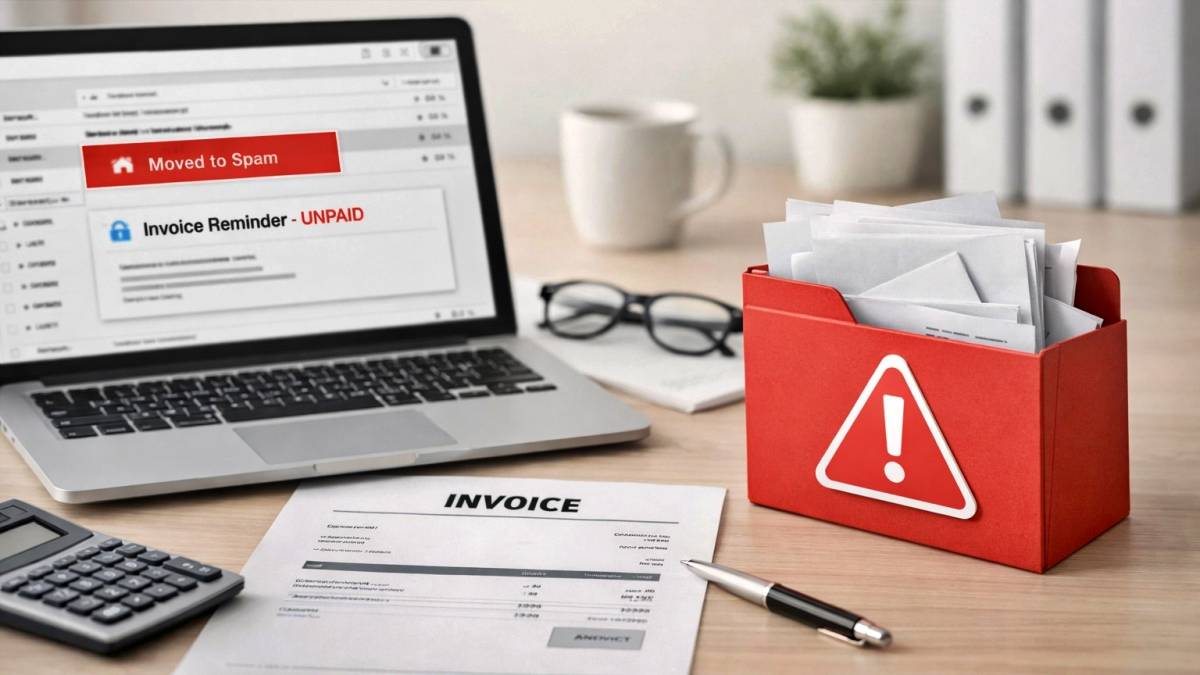
If this sounds familiar, you aren’t alone. In fact, for many small- and medium-sized businesses (SMBs), this is becoming the “new normal.” But here’s the kicker: it’s not because your clients are ignoring you, and it’s not because your accounting software is broken. It’s because the giants of the internet, Google and Yahoo, have fundamentally changed the rules of the game.
If you haven’t updated your email authentication settings recently, your invoices aren’t just late; they are likely sitting in a “Spam” or “Junk” folder, invisible to the people who owe you money. At Datacate, we call this the “Silent Killer” of cash flow. Let’s dive into why this is happening and, more importantly, how we can fix it.
The Great Email Lockdown of 2024/2025
For years, the internet was like the Wild West when it came to email. Anyone could technically “spoof” an email address, making it look like a message came from billing@yourcompany.com when it actually came from a scammer in a basement halfway across the world.
To combat the massive surge in phishing and spam, Google and Yahoo implemented strict new requirements for bulk senders and business domains starting in early 2024, with even tighter enforcement rolling through 2025. They essentially told the world: “If you can’t prove who you are, we aren’t letting your mail into our users’ inboxes.”
While these rules were aimed at high-volume spammers, thousands of legitimate small businesses have been caught in the crossfire. If your business domain isn’t “authenticated,” your emails, especially those containing attachments like PDF invoices, look suspicious to modern security filters.
Meet the “ID Badges” of Email: SPF, DKIM, and DMARC
Think of your email like a high-security building. In the old days, the security guard (the recipient’s email server) might let you in if you just said you were supposed to be there. Today, that guard is checking three different forms of ID. If you’re missing even one, you’re going straight to the “holding room” (the spam folder).
In the world of IT, these “ID badges” are known as SPF, DKIM, and DMARC.
1. SPF (Sender Policy Framework)
SPF is essentially a “Guest List” for your domain. It’s a record in your DNS (Domain Name System) settings that lists every service allowed to send email on your behalf.
- The Problem: If you use Microsoft 365 to send your daily emails, but use QuickBooks Online or Bill.com to send your invoices, you need to make sure both are on the list. If QuickBooks isn’t on the SPF record, the recipient’s server sees an email claiming to be from you coming from a “strange” server and flags it as spam.
2. DKIM (DomainKeys Identified Mail)
If SPF is the guest list, DKIM is the “Digital Wax Seal.” It attaches a cryptographic signature to every email you send. This signature proves that the email hasn’t been tampered with while traveling across the internet. It ensures that the “From” address hasn’t been forged and that the contents are exactly what you sent.
3. DMARC (Domain-based Message Authentication, Reporting, and Conformance)
DMARC is the most important, and most often missing, piece of the puzzle. It tells the receiving server what to do if the SPF or DKIM checks fail.
- Should the server let the email through anyway?
- Should it put it in spam?
- Should it “Reject” it entirely so the recipient never even knows it existed?
Without a proper DMARC policy, you’re leaving your deliverability up to chance.
Why Invoices Are Targeted Specifically
You might notice that your regular “How’s it going?” emails get through just fine, but it’s your invoices that get lost. There’s a reason for that. Spam filters are specifically trained to look for “high-risk” triggers.
Invoices usually include:
- Attachments: Specifically, PDFs or Word docs, which are common vehicles for malware.
- Financial Language: Words like “Payment,” “Invoice,” “Due Date,” and “Amount Owed” are red flags if the sender isn’t fully authenticated.
- Links: Payment portal links can look like phishing links to an overeager filter.
If your email authentication isn’t perfect, these triggers combine to create a “Spam Score” that pushes your bill right out of the inbox.
The Cash Flow Crisis
This issue isn’t just a technical annoyance; it’s a financial threat. When invoices land in spam, your outstanding accounts receivable can start to climb. You might find yourself dipping into lines of credit or delaying your own vendor payments simply because the money you’ve earned is stuck in a digital “black hole.”
Furthermore, it affects your professional reputation. If a client has to constantly dig through their junk folder to pay you, it makes your business look disorganized. In a world where AI and automation are streamlining everything, having a “broken” billing process is a major disadvantage.
How to Fix the Leak
Fixing this isn’t as simple as clicking a “Not Spam” button. It requires a bit of technical heavy lifting in your domain’s backend. Here’s a high-level checklist of what needs to happen:
- Audit Your Senders: Make a list of every service that sends mail as “you” (Outlook/Gmail, CRM, Invoicing software, Email Marketing tools).
- Update SPF Records: Consolidate all those services into a single, valid SPF record.
- Enable DKIM: Go into the settings of each service (like QuickBooks or Microsoft 365) and generate a DKIM key, then add it to your DNS.
- Implement DMARC: Start with a “p=none” policy to monitor who is sending mail as you, then move to “quarantine” or “reject” to fully secure your domain.
- Monitor Deliverability: Use tools to verify that your emails pass these checks in the real world.
The Datacate Advantage: We Handle the Tech, You Handle the Check
We get it: you didn’t start your business to become a DNS expert. Managing SPF records and cryptographic keys is probably the last thing you want to do on a Friday afternoon. That’s where Datacate comes in.
As a premier Managed Service Provider (MSP) based right here in Sacramento, we specialize in making sure your technology works for you, not against you. When you partner with us, we don’t just “check the boxes.” We perform a comprehensive audit of your email ecosystem to ensure that every invoice, quote, and communication reaches its destination.
Why Sacramento Businesses Trust Datacate:
- Local Support: We are part of the community. When you have a problem, you aren’t calling a call center halfway across the globe. You’re talking to experts in your backyard.
- The 15-Minute Response: In business, time is money. We pride ourselves on our lightning-fast 15-minute response time. If your emails are failing, we’re on it before it impacts your bottom line.
- Reliability First: Our brand is built on being the steady hand in a chaotic tech world. We ensure your applications and email services are always up and authenticated.
Don’t Let Your Hard Work Go Unpaid
The “Silent Killer” of cash flow is easily stopped, but it requires proactive maintenance. If you’ve noticed a dip in how quickly clients are responding to your invoices, or if you’ve had even one person tell you “it went to spam,” it’s time to take action.
You wouldn’t ignore a leak in your office roof; don’t ignore the leak in your email system. Let’s get your SPF, DKIM, and DMARC settings dialed in so you can get back to what you do best: growing your business.
Ready to secure your deliverability? Contact Datacate today for a quick audit of your email settings. We’ll make sure your “ID badges” are in order so your invoices and your money land exactly where they belong.