Every 60 seconds, phishing costs the global economy roughly $17,700, according to CSO Online data cited by StationX. That is not a rounding error; that is $1 million per hour, every hour, around the clock. The reason phishing remains so persistently effective is not that security technology has stood still. It is because attackers now use the same AI tools that power productivity software to craft messages that are sharper, faster, and nearly indistinguishable from legitimate emails.
The encouraging truth is that phishing email protection is a solvable problem. Over 90% of cyberattacks begin with phishing, making it the leading method used by threat actors to breach networks and steal data, according to CISA. That same concentration of risk is also the opportunity: block the phishing email, and you block most of the attack chain before it begins. This guide explains precisely how to do that, whether you are protecting a single inbox or an organization of thousands.
Key Takeaways
- Phishing drives nearly all cyberattacks: phishing emails account for over 90% of successful cyberattacks, according to the Cybersecurity and Infrastructure Security Agency. Fixing your email security layer addresses the majority of your total cyber risk exposure.
- AI has raised the stakes dramatically: 82.6% of phishing emails detected between September 2024 and February 2025 utilized AI, a 53.5% year-on-year increase, and AI-generated phishing emails have a 60% higher click rate than traditionally crafted ones. If your defenses have not been updated in the last 18 months, they are likely out of date.
- Training produces measurable results: Untrained employees fell for phishing simulations at a baseline rate of 33.1%. After 12 months of security awareness training, that rate dropped to 4.1%, an 86% reduction, per the KnowBe4 2025 Phishing by Industry Benchmarking Report. Train consistently or accept that one-third of your people are a live vulnerability.
- Technical controls compound each other: Layering email authentication, a secure gateway, and phishing-resistant MFA provides overlapping coverage that no single tool can match on its own.
- The financial stakes justify the investment: The IBM Cost of a Data Breach Report 2025 found that the average phishing-related breach now costs organizations $4.88 million, nearly a 10% increase over the previous year. Even modest protective measures cost a fraction of the cost of a single incident.
Quick-Start Prioritization Framework
| Strategy | Best For | Effort Level | Time to Results |
|---|---|---|---|
| Email authentication (SPF, DKIM, DMARC) | Everyone | Low | Days |
| Security awareness training | Teams of any size | Medium | 30-90 days |
| Secure email gateway | Small to mid-size orgs | Medium | Days |
| Phishing-resistant MFA | Organizations with cloud accounts | Medium | Days |
| Zero-trust access controls | Enterprise or regulated industries | High | Months |
| AI-powered threat detection | High-risk sectors | High | Weeks |
Start here if you are:
- An individual or household: Enable MFA on every account and run through a free CISA phishing awareness module; it is the highest-leverage 30 minutes you can spend.
- A small business (under 50 people): Prioritize email authentication records and a cloud-based secure email gateway first. Both are low-cost and deliver immediate, measurable protection.
- A mid-size or enterprise organization: Layer all six strategies. Start with authentication and MFA simultaneously, then build toward security awareness training and AI-driven detection as your program matures.
How Phishing Attacks Actually Work in 2026
Understanding the mechanics of a phishing attack makes every protective measure more intuitive. Phishing relies on trust, urgency, and familiarity, not sophisticated hacking.
The Core Attack Pattern
A standard phishing email follows a predictable sequence. The “4 P’s” of phishing describe common tactics attackers use: pretend, problem, pressure, and payoff. Attackers impersonate a trusted source, create a sense of urgency around a fabricated problem, pressure the recipient to act quickly, and then attempt to obtain valuable information, such as login credentials or payment information.
Phishing emails often exhibit behavioral patterns that distinguish them from legitimate correspondence. Telltale signs may include an urgent tone, requests for immediate action, or attempts to create fear or excitement. Many phishing messages encourage recipients to bypass established procedures, click a link, or provide confidential information under the pretense of an emergency. The goal is to make you react before you think.
The Main Types You Need to Know
Phishing arrives in several distinct flavors, each carrying a different risk profile:
- Email phishing (bulk): Mass-sent messages impersonating well-known brands. Volume-based; relies on low click rates across millions of messages.
- Spear phishing: Spear phishing targets specific individuals or organizations, with attackers researching their victims beforehand to craft convincing, personalized messages. These emails may reference recent projects, use colleagues’ names, or appear to originate from trusted contacts, making spear phishing one of the most dangerous forms of phishing.
- Whaling: A specialized spear-phishing attack targeting high-profile individuals, such as executives, board members, or senior managers. Attackers design emails to imitate critical business communications, such as legal notices, regulatory requests, or urgent wire transfer approvals.
- Business email compromise (BEC): BEC attacks typically contain no malicious links or attachments. Instead, the attacker impersonates a trusted entity, a vendor, a law firm, or a senior executive, and uses a compromised or spoofed email account to manipulate the recipient into initiating a wire transfer or disclosing sensitive data. According to the FBI Internet Crime Complaint Center, BEC accounted for over $3 billion in reported losses in 2025.
Pro Tip: Brand impersonation is everywhere. In Q1 2025, Microsoft accounted for 36% of all brand phishing incidents worldwide, followed by Google at 12% and Apple at 8%. If you receive any security alert from one of these brands, navigate to the website directly, never click the link in the email.
The AI Factor
The threat landscape shifted materially in late 2025. Hoxhunt analysts uncovered a 14x surge in AI-generated phishing attacks that bypassed email filters and landed in inboxes, with the share of AI-assisted attacks soaring from 4% to 56% over the holiday season. AI-generated phishing emails often lack grammatical errors, making them more convincing and harder to detect. The old advice of “look for bad spelling” no longer holds. Therefore, detection must shift from content cues to behavioral signals and technical authentication layers.
Layer 1, Email Authentication: SPF, DKIM, and DMARC
Email authentication is the foundation of any phishing protection strategy. It prevents attackers from sending emails that appear to come from your domain, a technique known as spoofing.
What Each Protocol Does
SPF, DKIM, and DMARC serve different purposes, but you need all three to fully protect your domain from spoofing and phishing. SPF authorizes sending servers, DKIM signs messages cryptographically, and DMARC enforces policies and provides reporting. DMARC is the only protocol that tells inboxes what to do with failed messages and gives you visibility through reports.
Setting up all three is now essentially mandatory. Google, Yahoo, Microsoft, and Apple all require SPF, DKIM, and DMARC for bulk senders; non-compliance means messages are sent to spam or rejected.
The Results Are Compelling
Since Google and Yahoo’s updated authentication requirements rolled out in 2024, providers have reported a 65% reduction in unauthenticated email reaching Gmail inboxes, a clear sign of how quickly stronger authentication requirements can reshape what actually gets delivered. Even more strikingly, countries with national DMARC mandates saw phishing success rates drop from 69% to 14%, while countries without mandates saw vulnerability rise to 97%. If your domain does not yet have DMARC at the p=reject enforcement level, that is the single highest-priority action you can take today.
Pro Tip: Implementing DMARC does not happen overnight. Start with
p=none(monitoring mode), analyze the reports to identify all legitimate senders, fix any misconfigurations, and then escalate top=quarantineand thenp=rejectover 60 to 90 days. Rushing top=rejectwithout reporting data can inadvertently block your own emails.
Layer 2, Secure Email Gateways and AI-Powered Filtering
Authentication stops spoofing, but it does not block phishing from external domains you have no control over. A secure email gateway (SEG) addresses that gap.
How Secure Email Gateways Work
A secure email gateway sits between your email systems and the outside world, scanning incoming and outgoing email messages for threats before they reach your users. These tools can identify and block phishing attempts, malware, spam, and other email-based threats. Look for solutions that offer multiple detection engines, sandboxing capabilities for suspicious attachments, and URL rewriting to protect against malicious links.
Modern SEGs go beyond signature-based blocking. Phishing emails often exhibit to phishing protection by scanning incoming messages for known malicious content, suspicious URLs, and unusual attachment types. Modern anti-spam tools leverage machine learning to identify phishing attempts based on patterns in subject lines, sender reputation, and the presence of links to disreputable domains.
What “Good” Looks Like
Out of 100 million phishing emails blocked by Google every day, 68% belonged to previously unseen campaigns that had never been cataloged in any threat intelligence database. This matters because it means signature-based filtering misses the majority of novel attacks; therefore, any SEG you evaluate should explicitly offer behavioral and machine-learning-based detection, not purely pattern-matching.
Email authentication protocols have become essential first-line defenses against phishing. Cybersecurity agencies strongly recommend implementing DMARC, SPF, and DKIM to verify the sending server of received emails. A well-configured SEG, paired with DMARC, creates a two-stage filter that eliminates most inbound threats. Organizations like Datacate, Inc. can help design and implement layered email security architectures tailored to your specific environment.
Layer 3, Phishing-Resistant Multi-Factor Authentication
Even when a phishing email succeeds and a password is stolen, MFA can prevent that credential from being used to breach an account. However, not all MFA is created equal.
Standard MFA vs. Phishing-Resistant MFA
A Microsoft measurement study of Azure Active Directory accounts found MFA reduced the risk of compromise by 99.22% across the population, and by 98.56% even when the password had already leaked. That is a powerful number, but it comes with an important caveat.
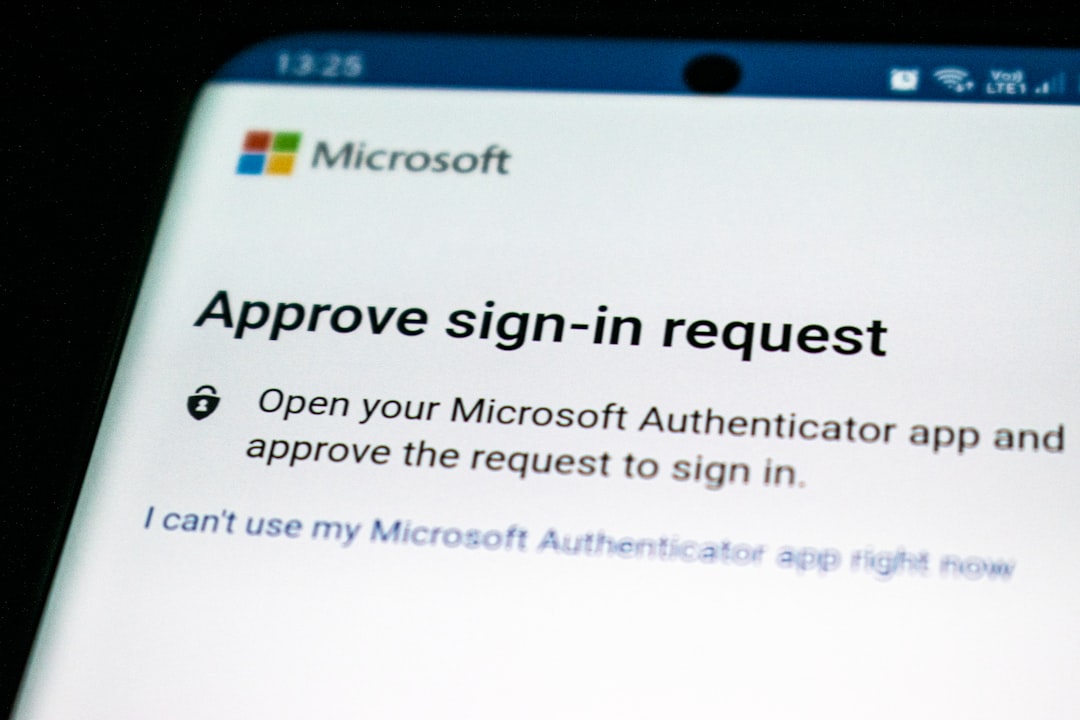
MFA fatigue attacks appear in 14% of security incidents analyzed in the 2025 Verizon Data Breach Investigations Report, making MFA fatigue the dominant bypass method. Attackers bombard users with push notification prompts until they approve one simply to make the alerts stop. Therefore, the recommendation is to move beyond SMS codes and push notifications toward phishing-resistant MFA, such as FIDO2 hardware keys or passkeys. Phishing-resistant MFA uses asymmetric cryptography and domain binding to make credential theft structurally impossible.
The No-MFA Risk
According to the 2025 Unit 42 Global Incident Response Report, when threat actors gained access through phishing campaigns, the most common associated incident type was business email compromise, accounting for 76% of cases. In 2021, Unit 42 found that 89% of organizations that had been targeted by BEC attacks had not enabled MFA or followed email security best practices. MFA is not optional; it is the minimum viable control for any account that holds sensitive data.
Layer 4, Security Awareness Training That Actually Works
Technology cannot do everything. Verizon DBIR 2025 confirms that human-related errors or social engineering, including phishing, contribute to 60% of breaches. Human behavior is both the vulnerability and the fix.
Why Annual Training Fails
Most employees already know not to click suspicious links. They have sat through the annual training, passed the quiz, and maybe earned a badge. But knowing is not the problem. Reacting under pressure is. A phishing email that arrives while someone is context-switching between three deadlines does not feel like a training module; it feels like a message from their CFO about a wire transfer.
The Training Approach That Works
Effective awareness training has three characteristics:
- It is continuous, not annual
- It uses simulated phishing exercises, not just slide decks
- It delivers immediate feedback at the moment of risk, not days later
Employee awareness training reduced phishing simulation click-through rates by 32% compared with untrained staff. Over a longer horizon, the improvement is even sharper. KnowBe4’s 2025 Phishing By Industry Benchmarking Report found a 47% increase in phishing attacks that bypass Microsoft’s native defenses and secure email gateways, which means training is the backstop that catches what technology misses.
Pro Tip: Simulated phishing exercises are most effective when they are specific to your industry and role. A phishing email mimicking a DocuSign signature request will land differently with someone in legal than a fake IT password reset. Use role-aware content to make training feel real, not generic.
Common Phishing Protection Mistakes to Avoid
Even well-intentioned security programs have predictable gaps. Here are the ones that cause the most damage:
Treating DMARC as a One-Time Setup
DMARC records require ongoing maintenance. Every new email-sending service, your marketing automation platform, HR software, or external newsletter tool, may need to be added to your SPF record. Missing a sender causes legitimate emails to fail authentication checks.
Relying on a Single Control
Email authentication protocols: organizations must adopt a multi-layered approach to security. Integrating advanced technical controls with comprehensive human training provides the most effective defense against increasingly sophisticated threats. No single tool blocks everything. A phishing email that bypasses your SEG should still be stopped by user training. One that bypasses training should still be neutralized by MFA.
Not Tracking Metrics
29% of organizations did not track phishing metrics despite having email protection tools in place. If you are not measuring click rates from phishing simulations, authentication pass rates, and gateway block rates, you cannot improve. Set a quarterly review cadence and treat these numbers like any other business KPI.
Assuming Cloud Email Is Secure by Default
Around 80% of phishing campaigns now aim to steal credentials for cloud services such as Microsoft 365 and Google Workspace. Cloud email platforms provide a baseline of protection, but they are not a complete defense. Supplement them with third-party SEGs, DMARC enforcement, and phishing-resistant MFA configured specifically for your domain.
Frequently Asked Questions
What is the most important first step in phishing email protection?
For most individuals and small organizations, enabling MFA on all accounts and setting up DMARC email authentication on your domain are the two highest-leverage starting points. Both can be implemented in a day, cost little to nothing for basic configurations, and immediately provide protection against the most common attack vectors.
How do I recognize a phishing email when AI makes them so convincing?
Be suspicious of emails and messages that claim you must click, call, or open an attachment immediately. Often, they claim you must act now to claim a reward or avoid a penalty. Creating a false sense of urgency is a common trick of phishing attacks. Regardless of how polished the email looks, verify any unusual request through a separate channel, call the sender directly using a number you already have, not one provided in the email.
Is MFA enough to stop phishing attacks on its own?
MFA significantly reduces risk but is not a complete solution on its own. Traditional MFA faces challenges such as MFA fatigue and push bombing, in which attackers trick users into approving fraudulent prompts. Pairing phishing-resistant MFA (FIDO2/passkeys) with email authentication and a secure gateway provides overlapping controls, so the failure of one does not constitute a breach.
What should I do immediately after suspecting I clicked a phishing link?
Disconnect your device from the network immediately, change your password for the affected account from a separate, trusted device, notify your IT team or service provider right away, and enable MFA if it was not already active. Speed matters: the faster you act, the smaller the window for attackers to use any credentials they may have captured.
How often should phishing awareness training be conducted?
Security awareness training needs to be a cornerstone of your security policy. Security awareness is a continuous process that evolves with the threat landscape. Monthly phishing simulations combined with brief quarterly training updates outperform annual all-day sessions. The goal is habit formation, not knowledge transfer, and habits require repetition.
Final Word
Phishing email protection is not a product you buy once and forget. It is a layered system of technical controls, human habits, and ongoing measurement. The good news is that you do not need to build it all at once. Start with email authentication records and MFA this week. Add a secure email gateway within the month. Build your awareness training program over the following quarter. Each layer compounds the others, and the aggregate effect is a meaningful reduction in your real-world risk.
For organizations seeking guidance on designing or auditing their email security stack, Datacate, Inc. offers infrastructure and security support tailored for businesses that need enterprise-grade protection without the complexity.
Sources
- Phishing Statistics 2026: Latest Attack Data and Trends, StationX. Comprehensive phishing statistics including BEC losses and social engineering data. https://app.stationx.net/articles/phishing-statistics
- 250+ Phishing Statistics, June 2026, Bright Defense. Training effectiveness, APWG attack data, and phishing trends. https://www.brightdefense.com/resources/phishing-statistics/
- Phishing Statistics 2025-2026: The Numbers You Need to Know, Zensec. AI-assisted phishing rates and BEC financial data. https://zensec.co.uk/blog/2025-phishing-statistics-the-alarming-rise-in-attacks/
- Report: 90% of Cyberattacks Start With Phishing, Programs.com. CISA data on phishing as the dominant attack vector. CISA data shows phishing remains the dominant attack vector, with over 90% of cyberattacks globally beginning with phishing as an initial vector.
- 81 Phishing Attack Statistics 2026, GetAstra. Google blocking data, breach cost figures, and IBM report analysis. https://www.getastra.com/blog/security-audit/phishing-attack-statistics/
- Phishing Trends Report (Updated for 2026), Hoxhunt. AI phishing surge data and holiday season threat analysis. https://hoxhunt.com/guide/phishing-trends-report
- Spear Phishing Types: Your Complete Defense Guide, Adaptive Security. BEC loss data and AI voice cloning attack trends. https://www.adaptivesecurity.com/blog/spear-phishing-types-the-complete-guide-to-targeted-attack-variants-ai-powered-cyberattacks-and-defe
- Phishing Attacks in 2025: 10 Attack Patterns, Examples and Defenses, Seraphic Security. Spear phishing, whaling, and BEC attack pattern breakdowns. Spear phishing targets specific
- Top 11 Email Security Best Practices for Businesses, Rippling. Secure email gateway features and training recommendations. https://www.rippling.com/blog/email-security-best-practices
- Phishing Attack Prevention, Best Practices for 2025, Cybersecurity News. DMARC implementation guidance and multi-layered defense framework. Email authentication protocols
- 10 Email Security Best Practices, Check Point Software. AI phishing risks and email security best practices. https://www.checkpoint.com/cyber-hub/threat-prevention/what-is-email-security/email-security-best-practices/
- How Effective is MFA? An Evidence Review, SecurityScientist. Microsoft Azure AD study showing 99.22% risk reduction with MFA. https://www.securityscientist.net/blog/how-effective-is-mfa/
- What Is Phishing-Resistant MFA?, SentinelOne. MFA fatigue statistics from Verizon DBIR 2025 and FIDO2 guidance. https://www.sentinelone.com/cybersecurity-101/identity-security/phishing-resistant-mfa/
- What Is Phishing Resistant MFA and How Does It Work?, IBM. Credential theft patterns and phishing-resistant MFA architecture. https://www.ibm.com/think/topics/phishing-resistant-mfa
- Statistics on Phishing Attacks That Target Businesses, Huntress. Cloud credential theft rates and Palo Alto Unit 42 BEC data. https://www.huntress.com/phishing-guide/phishing-attack-statistics
- Email Phishing and DMARC Statistics: 2026 Security Trends, PowerDMARC. Gmail authentication reduction data and DMARC adoption rates. Since Google and Yahoo’s updated
- DMARC, SPF, and DKIM in 2026, DuoCircle. DMARC mandate impact data and national phishing success rate comparisons. https://www.duocircle.com/blog/dmarc-spf-dkim-2026-email-authentication-regulatory-requirement-best-practice/
- How to Prevent Phishing Emails by Reducing Human Risk, KnowBe4. Phishing bypass rates and human risk reduction strategies. https://blog.knowbe4.com/how-to-prevent-phishing-emails-by-reducing-human-risk
- SPF, DKIM, and DMARC: How They Work Together, PowerDMARC. Protocol function breakdown and major provider requirements. SPF, DKIM, and DMARC serve
- Protect Yourself from Phishing, Microsoft Support. User-level phishing detection guidance and urgency red flags. https://support.microsoft.com/en-us/security/protect-yourself-from-phishing