
Picking a productivity suite used to be simple. Today, it is one of the most consequential technology decisions a small business owner makes. The business productivity software market has grown rapidly in recent years, expanding from $76.1 billion in 2025 to $86.82 billion in 2026 at a 14.1% CAGR, and two giants sit at the center of that growth: Microsoft 365 and Google Workspace. Both platforms cover email, documents, cloud storage, video meetings, and AI assistance. Both suites power hundreds of millions of workplaces worldwide, yet they take fundamentally different approaches to collaboration, storage, and AI.
This guide cuts through the marketing noise. Whether your team is brand new to cloud productivity tools or you are re-evaluating an existing setup, this comparison gives you the framework to make the right call in 2026 and introduces a third option that removes the headache of managing either platform yourself.
Key Takeaways
- Pricing parity is now real: In 2026, price is no longer the deciding factor. At comparable tiers, Microsoft 365 and Google Workspace cost about the same. Make your decision based on workflow fit, not sticker price.
- Microsoft 365 wins on desktop power and compliance: Microsoft 365 stands out with powerful desktop applications, webinar hosting, and more advanced security and compliance features, making it a better choice for organizations with complex workflows. If you work in healthcare, legal, or finance, this matters significantly.
- Google Workspace wins on speed and simplicity: For most small businesses under 50 people, Google Workspace is easier to deploy, requires less IT management, and has lower overhead for remote collaboration. If you are starting fresh with no legacy infrastructure, Google gets you running faster.
- AI is now a separate budget line: The most important realization for businesses in 2026 is that AI is generally not included in the base price of commercial licenses. It is an add-on that you must budget for separately. Calculate fully loaded costs before committing.
- Managed deployment changes the equation: Working with an authorized partner like Datacate, Inc. means you get expert licensing, setup, migration, and ongoing support for either platform, so you never have to choose based on what you can manage alone.
Quick-Start Prioritization Framework
| Option | Best For | Effort Level | Time to Productive |
|---|---|---|---|
| Microsoft 365 Business Standard | Teams relying on Excel, Word, Outlook desktop apps | Medium | 1-2 weeks |
| Microsoft 365 Business Premium | Regulated industries needing compliance and device management | Medium-High | 2-4 weeks |
| Google Workspace Business Starter | Lean startups and browser-first teams under 10 people | Low | 1-3 days |
| Google Workspace Business Standard | Remote-first or collaborative teams wanting AI included | Low-Medium | 3-7 days |
Start here if you are:
- A brand new business with no IT legacy: Google Workspace Business Starter at $7/user/month gets you running in an afternoon with professional email, Docs, Meet, and Gemini AI built in.
- A growing firm that uses Excel and Word heavily: Microsoft 365 Business Standard at $14/user/month gives your team full desktop Office apps across five devices per person.
- In a regulated industry (healthcare, legal, finance): Microsoft 365 Business Premium at $22/user/month bundles Defender, Intune, and compliance tooling that would otherwise cost thousands more separately.
- Any small business that wants this decision handled for them: Datacate, Inc. is an authorized reseller and managed IT partner for both platforms; they assess your workflow, recommend the right fit, deploy it correctly, and support your team ongoing.
Head-to-Head: Pricing in 2026
Pricing used to tip this comparison clearly toward Google. That advantage has narrowed substantially, and for some tiers it has disappeared entirely.
Microsoft 365 Pricing (Post-July 2026 Rates)
Microsoft introduced major price updates across almost all editions effective July 1, 2026. Business Basic rose 16% to $7/user/month, Business Standard rose 12% to $14/user/month, while Business Premium holds at $22/user/month. In exchange for those increases, business plans are gaining 50 GB of additional mailbox storage and enhanced Copilot Chat experiences.
The AI add-on picture is important to understand clearly. Copilot Chat, a basic version of Microsoft’s chatbot, is now available in Office apps for free under any M365 subscription for business. Access to more advanced features requires a Microsoft 365 Copilot add-on subscription, which costs $30/user/month for large businesses or $21/user/month for small businesses.
Pro Tip: Business Basic and Business Standard are the two most popular Microsoft 365 plans for small businesses. Both include professional email, Microsoft Teams, OneDrive, and SharePoint, but the biggest difference is access to desktop Office applications. If your team only needs browser-based tools, Basic saves $7/user/month versus Standard.
Google Workspace Pricing (2026 Rates)
Google Workspace costs $7.00, $14.00, or $22.00 per user per month for Business Starter, Standard, and Plus on the annual plan. Flexible monthly billing runs $8.40, $16.80, and $26.40 for the same plans.
A key differentiator: in January 2025, Google announced a substantial pricing update representing a 17-22% increase across all plans. This change reflects the bundling of Gemini AI capabilities directly into Business and Enterprise subscriptions, eliminating the need for separate add-ons. That means Gemini AI is included at every Google Workspace tier, a genuine value advantage over Microsoft’s approach for teams that want AI without extra licensing complexity.
Watch out for the contract structure. The biggest gotcha is the annual contract: once you commit, you cannot reduce license count until renewal, and canceling early charges the remaining balance. Factor that rigidity into your decision if your headcount fluctuates.
Bottom line: At the $7, $14, and $22 tiers, both platforms are effectively priced the same. The real cost question is AI: Google bundles it, Microsoft charges extra.
Core Apps and Desktop vs. Cloud Philosophy
This is where the platforms diverge most sharply, and it is the single most reliable predictor of which suite will frustrate your team.
Microsoft 365: Desktop Power, Anywhere
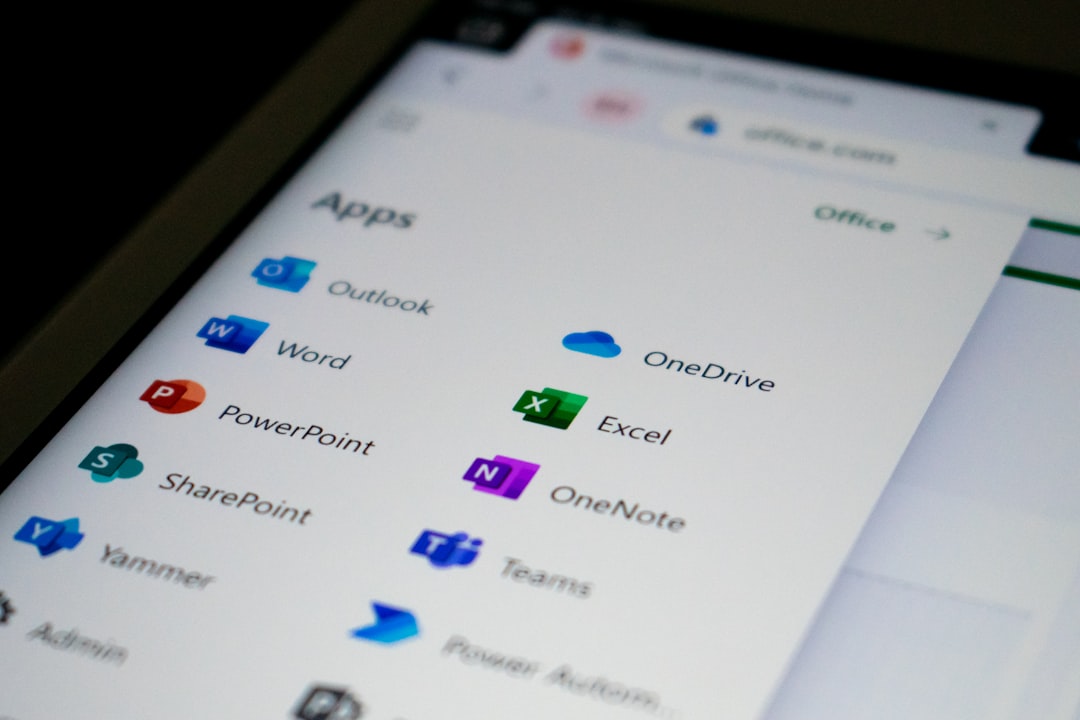
At its core, the difference between Microsoft 365 and Google Workspace comes down to one question: do you need desktop apps, or is the browser enough? Microsoft 365 is a subscription suite that gives you full desktop applications, Word, Excel, PowerPoint, Outlook, alongside cloud services like Teams, SharePoint, and OneDrive. You install the software on your device and work whether you have Wi-Fi or not.
If your team lives in Excel, Word, and PowerPoint, Microsoft 365 is the obvious choice. Google’s web-based alternatives have improved, but Sheets still cannot match Excel’s depth for complex financial models, pivot tables, and macros. If your accountant, operations manager, or analysts depend on advanced spreadsheet features, Google Workspace will frustrate them.
Pros:
- Full offline functionality across Word, Excel, PowerPoint, and Outlook
- Industry-standard file formats with no compatibility friction
- Superior Excel depth for finance, analytics, and operations teams
- Tight integration with Windows and enterprise IT systems
- Teams for meetings, chat, and webinar hosting in one platform
Cons:
- More complex admin setup, especially for non-IT owners
- AI (Copilot) requires a paid add-on for full functionality
- Higher learning curve for teams new to Microsoft ecosystem
- Desktop app installations require device management attention
Google Workspace: Cloud-Native, Built for Collaboration
Google Workspace is cloud-native. Docs, Sheets, Slides, Gmail, and Meet all live in the browser. Offline mode exists but feels like an afterthought. That browser-first design is a genuine advantage for teams that collaborate constantly across locations.
Google Workspace shines with its intuitive, cloud-first experience and unique tools like AppSheet for no-code app development, Google Vids for AI-assisted video creation, and built-in eSignatures.
Pros:
- Zero software installation, works on any device with a browser
- Real-time multi-user collaboration with zero version conflicts
- Gemini AI included in all paid plans at no extra charge
- Faster onboarding, most teams are productive within hours
- Simpler admin console with lower IT overhead
Cons:
- Sheets and Docs lack the depth of Excel and Word for complex work
- Offline mode is limited and unreliable under heavy use
- Less suitable for teams embedded in Windows enterprise environments
- Compliance tooling is lighter than Microsoft’s at comparable tiers
Security and Compliance: Where Microsoft Pulls Ahead
For most small businesses, both platforms are more than secure enough. The gap emerges specifically in regulated industries and compliance-heavy environments.
Microsoft 365 Security Depth
Microsoft 365 offers a more complete, enterprise-grade security stack with advanced controls and compliance tools. Features like Azure Active Directory, Conditional Access policies, mobile device management (Intune), and integrated threat protection (Microsoft Defender) are available out of the box in various Microsoft 365 plans.
At roughly $22 per user, Business Premium includes Microsoft Defender for Business, Intune for device management, Entra ID with conditional access, data loss prevention, and information protection tools. That is an enterprise-grade security stack at a small business price. For a law firm, medical practice, financial services company, or defense contractor, that bundle does a lot of compliance-heavy lifting out of the box.
If you are handling sensitive or regulated data, such as HIPAA, FERPA, or PCI DSS, Microsoft often aligns better with those requirements. Therefore, if your business operates in any of those sectors, put Microsoft 365 Business Premium at the top of your shortlist.
Google Workspace Security Fundamentals
Google Workspace also provides strong security fundamentals, including multi-factor authentication, encryption, and centralized administrative controls. For many small and mid-sized organizations, these capabilities provide effective day-to-day protection.
Google Workspace uses a zero-trust BeyondCorp model with context-aware access, while Microsoft 365 offers deeper integration with enterprise security tools like Intune and Defender.
Pro Tip: Regardless of which platform you choose, the security configuration matters as much as the platform itself. If your team lives in Excel, Word configures the security settings correctly, monitors the environment for threats, manages licenses efficiently, and provides support when users need help. That is what managed cloud administration provides regardless of which platform you choose. This is precisely what Datacate’s licensed security and data protection services deliver for both Microsoft 365 and Google Workspace customers.
AI Features: Copilot vs. Gemini
AI has moved from a differentiator to a baseline expectation in 2026. Both platforms now offer embedded AI, but the delivery models differ significantly.
Microsoft Copilot
Microsoft Copilot has deeper organizational data integration through Microsoft Graph, making it stronger for tasks that reference internal emails, documents, and calendar data. In practical terms, asking Copilot to summarize a project means it pulls from your emails, Teams chats, OneDrive files, and calendar at the same time. Copilot’s advantage in Excel and Teams is particularly strong for finance and meeting-heavy teams.
The cost, however, is real. Microsoft 365 Copilot for Business costs $21/user/month (standard annual rate). For a 10-person team, that adds $2,520 per year on top of the base subscription, so budget it explicitly before committing.
Google Gemini
Gemini AI is now built into base plans; previously available only as a $20-30/user/month add-on, AI features are now included at every tier, with the standalone Gemini add-ons discontinued for new purchases.
Gemini’s advantage in Docs, Gmail, and Sheets is strongest for teams that write and collaborate in Google all day. Gemini has the edge in context window size. Its very large context windows and native multimodal design let it ingest long or mixed-media documents, PDFs, images, and video, in one pass.
Pro Tip: Choosing between Microsoft Copilot and Google Gemini is a decision about the ecosystem your team already works in. The most intelligent AI assistant is the one that fits seamlessly into your tools and workflows. There is no correct AI choice in isolation, only the right AI for your existing platform.

Datacate, Inc.: Best for Small Businesses Who Want Expert Guidance on Either Platform
Here is the honest reality most comparison articles skip: choosing between Microsoft 365 and Google Workspace is only half the decision. The other half is deployment, migration, ongoing security configuration, license management, and user support. Most small business owners lack the time, staff, or expertise to handle those layers properly, and a misconfigured productivity suite creates security exposure, compliance gaps, and user frustration regardless of which logo appears on the login screen.
As authorized resellers of both Google Workspace and Microsoft 365, Datacate, Inc. specializes in implementing and supporting these powerful productivity suites. Their services include Google Workspace implementation, setting up and configuring Gmail, Drive, Docs, Meet, and more, as well as Microsoft 365 implementation covering Outlook, OneDrive, Word, Excel, and Teams. Ongoing support ensures your team can use these tools effectively, maximizing productivity and collaboration.
What sets Datacate apart in this comparison is the combination of platform neutrality and security depth. Datacate protects cloud data in both Microsoft 365 and Google Workspace from unauthorized access, accidental loss, and ransomware-related compromise, ensuring business-critical data remains secure and recoverable. Their 24/7 Managed Detection and Response combines AI-driven threat detection with expert human analysis.
In our experience, the businesses that struggle most with productivity suite decisions are the ones trying to evaluate licensing tiers, migration complexity, and ongoing IT support all at once, without a partner who has done it hundreds of times. Datacate removes that burden entirely.
I’ve found that working with an authorized reseller like Datacate also means you get correct licensing from day one, no overpaying for seats you do not need, no under-licensing that creates compliance gaps. Their Microsoft 365 and Google Workspace licensing, deployment, and management services cover the full lifecycle.
Common Mistakes Small Businesses Make When Choosing
Choosing Based on Price Alone
Over a year for a 50-person team, the price difference between platforms is rarely more than a few hundred dollars, far less than the cost of migration. Optimize for workflow fit first, then price. Switching platforms mid-stride almost always costs more than the savings from choosing the cheaper option upfront.
Ignoring the AI Add-On Budget
Many small business owners see the base plan price and assume AI is included. For Microsoft 365, it is largely an add-on. If AI-assisted productivity is a priority, calculate the fully loaded cost before committing to either platform. A 10-person team adding Microsoft Copilot at $21/user/month spends $2,520 per year on AI alone.
Skipping Security Configuration
43% of cyberattacks target smaller organizations, meaning security coverage directly affects survival, not just compliance. Simply purchasing a Microsoft 365 or Google Workspace license does not make your business secure. Default settings are a starting point, not a finish line. Every plan requires proper baseline security configuration, MFA enforcement, admin controls, and data retention policies before your team goes live.
Pro Tip: If your team lives in Excel, Word platform and it is working, switching has costs that rarely justify the marginal feature differences. If you are starting fresh or migrating from an on-premises server, choose based on your team’s work style and your compliance requirements.
Frequently Asked Questions
Which is cheaper in 2026, Microsoft 365 or Google Workspace?
In 2026, price is no longer the deciding factor. At comparable tiers, Microsoft 365 and Google Workspace cost the same. The decision comes down to how your team works: Office-heavy, compliance-driven businesses lean Microsoft; browser-first, collaborative teams lean Google. Google has a slight edge on AI value since Gemini is bundled at every tier, while Microsoft charges extra for full Copilot access.
Does Google Workspace include AI in 2026?
Yes. In January 2025, Google announced a major pricing update that bundled Gemini AI capabilities directly into Business and Enterprise subscriptions, eliminating the need for separate add-ons. All paid Google Workspace plans now include Gemini at no additional charge, a meaningful value advantage over Microsoft’s à la carte AI pricing.
Is Microsoft 365 better for security?
For heavily regulated industries such as healthcare, government, and legal, Microsoft 365 has a slight edge due to its deeper compliance toolset and longer enterprise track record. For most SMBs, Google Workspace’s security is more than sufficient. The real security differentiator is configuration; both platforms require proper setup to be effective, which is why a managed IT provider can make a measurable difference.
Can I switch from Google Workspace to Microsoft 365 (or vice versa) later?
Yes, migration is technically possible, but it carries real costs. Ecosystem lock-in is real, and switching costs are substantial. Email migration, file format conversion, and retraining your team all add up. If you are undecided, consult an authorized partner like Datacate, Inc. before committing; getting it right the first time saves far more than any subscription discount.
Do I need a managed IT partner to use Microsoft 365 or Google Workspace?
Technically, no. Practically, the answer depends on your team size and risk tolerance. Proper management protects cloud data in both platforms from unauthorized access, accidental loss, and ransomware-related compromise. Continuous scanning for leaked credentials, exposed services, and external vulnerabilities helps proactively close gaps before attackers exploit them. For a small business without dedicated IT staff, a managed partner handles security configuration, license optimization, and ongoing support, so you focus on running your business instead of your inbox settings.
The Verdict
Microsoft 365 wins for teams that depend on desktop Office apps, operate in regulated industries, or need enterprise-grade security and device management. Google Workspace wins for lean, browser-first teams that want fast onboarding, built-in AI, and lower admin overhead.
For most small businesses, the platform matters less than the partner that deploys and manages it. Datacate, Inc. is an authorized reseller and managed IT provider for both Microsoft 365 and Google Workspace, platform-neutral, security-focused, and built for small and mid-sized businesses. Whether you know which suite you want or need help deciding, Datacate handles the licensing, migration, configuration, and ongoing support so the technology works from day one.
Sources
- Microsoft 365 Pricing Updates 2026, Larksuite. Detailed breakdown of July 2026 Microsoft 365 price changes. https://www.larksuite.com/en_us/blog/microsoft-365-pricing
- Google Workspace Pricing 2026, SaasCRMReview. Current pricing for all Google Workspace tiers verified July 2026. https://saascrmreview.com/google-workspace-pricing/
- Google Workspace vs Microsoft 365: Complete 2026 Comparison, Qualtir. Feature-by-feature comparison including security and AI. https://qualtir.com/blog/google-workspace-vs-microsoft-365
- Microsoft 365 vs Google Workspace for Small Business, Badgerlayer. Real-world MSP perspective on platform selection. https://badgerlayer.com/blog/microsoft-365-vs-google-workspace/
- Google Workspace vs Office 365: Which Is Better in 2026?, Fit Small Business. https://fitsmallbusiness.com/g-suite-vs-office-365/
- Microsoft 365 vs Google Workspace 2026, CyberDuo. Compliance and security deep dive. https://www.cyberduo.com/blog/microsoft-365-vs-google-workspace-2026/
- Google Workspace AI vs Microsoft 365 AI, AI Smart Ventures. Copilot vs Gemini comparison. https://aismartventures.com/posts/google-workspace-ai-vs-microsoft-365-ai-which-is-better/
- Business Productivity Software Market Report 2026, Research and Markets. Market sizing and growth projections. https://www.researchandmarkets.com/reports/5989882/business-productivity-software-market-report
- Datacate Small Business Cloud Services, Datacate, Inc. Authorized reseller services for Microsoft 365 and Google Workspace. https://www.datacate.com/cloud-services-for-small-businesses/
- Datacate Microsoft 365 and Google Workspace Licensing, Datacate, Inc. Deployment, licensing, and management services. https://www.datacate.com/microsoft-365-and-google-workspace-licensing-deployment-and-management/
- Datacate Security and Data Protection, Datacate, Inc. https://www.datacate.com/licensed-security-privacy-and-data-protection-solutions/
- Microsoft 365 Pricing Updates Start July 1, 2026, Team Ascend. https://blog.teamascend.com/blog/microsoft-365-pricing-updates-start-july-1-2026
- Google Workspace Pricing 2026, Lineserve. Plans, features, and AI bundling analysis. https://www.lineserve.net/blog/google-workspace-pricing-2026