Most small business owners assume they understand what they’re buying when they sign an IT support contract. In practice, the gap between expectations and what an MSP actually delivers is where budgets blow up, and frustrations fester. The global managed services market was valued at $401.2 billion in 2025 and is projected to grow to $847.4 billion by 2033 at a CAGR of 9.9%. That growth tells you businesses are buying, but it says nothing about whether they know what they bought. This guide breaks down what managed IT services actually include, where the coverage ends, and how to make the right call for your organization.

Key Takeaways
- Proactive monitoring is the core value: MSPs deliver proactive flat-rate IT monitoring and maintenance to prevent issues before they cause downtime, whereas break-fix IT charges hourly only after failures occur. If your current provider only shows up when things break, you don’t have managed IT; you have a repair shop.
- Coverage depth varies widely by price tier: A practical 2026 benchmark is $100-$400 per user per month, with scope, security depth, after-hours coverage, compliance support, and onboarding cleanup driving the actual number. Before comparing quotes, verify what each tier leaves out.
- Cybersecurity is now standard, not optional: Security drives the industry, 67% of MSPs call security a top-five revenue driver, and 76% say it is their clients’ number one concern. Any managed IT package that doesn’t include baseline security tools deserves a hard second look.
- Hardware and software licensing are almost always excluded: Common MSP contract exclusions include any parts, equipment, or hardware costs, software licensing fees of any kind, and third-party vendor support fees. Budget for these separately.
- Regulated industries need compliance-specific coverage: HIPAA, HITECH, and state-level data protection laws require medical practices and clinics to secure patient data at all times, and managed IT service companies that specialize in healthcare compliance combine technical support with regulatory knowledge. Standard packages don’t automatically satisfy these requirements.
Quick-Start Prioritization Framework
| Strategy | Best For | Effort Level | Time to Results |
|---|---|---|---|
| Full managed IT (all-in) | Small businesses with no IT staff | Low (for you) | Days to onboard |
| Co-managed IT | Businesses with 1 in-house IT person | Medium | Weeks |
| Security-only managed services | Organizations with existing IT but weak security posture | Low to medium | Weeks |
| Compliance add-on tier | Healthcare, legal, or financial firms | Medium to high | 1-3 months |
| Break-fix / hourly support | Micro-businesses under 5 users, minimal tech reliance | Low | Immediate per incident |
Start here if you’re:
- A small team with no IT staff: Full managed IT is the fastest path to stable, secure operations. You get a virtual IT department for a fraction of the cost of hiring.
- A growing firm in a regulated industry: Layer compliance-specific coverage onto a standard managed services agreement, or choose an MSP that specializes in your sector from the start.
- An enterprise or mid-size company with in-house IT: Co-managed IT fills skill gaps (especially in security) without replacing your existing team.
What Managed IT Services Actually Include
The Foundational Layer: Monitoring, Patching, and Helpdesk
At a basic level, managed IT services refer to ongoing IT management delivered by a third-party provider. Instead of handling infrastructure, monitoring, and support entirely in-house, businesses partner with a specialized team that oversees their environment. The foundational layer of any managed services agreement covers three interconnected things: remote monitoring and management (RMM), patch management, and helpdesk support.
Remote monitoring means your MSP’s tools are watching your servers, workstations, and network devices around the clock. When a hard drive starts showing failure indicators, or a server’s CPU usage spikes at 3 AM, the provider responds before your staff arrives in the morning. MSPs deliver proactive patches, manage data backups, and optimize system performance in the background. If a hard drive shows signs of early failure, the MSP replaces it before the user even notices a slowdown.
Helpdesk access is the visible face of managed IT for most employees. A proper 2026 contract covers unlimited helpdesk, proactive monitoring and patching, published response SLAs, a defined out-of-hours route, EDR on every device, 24/7 threat detection and response, email security, security awareness training, Microsoft 365 backup, workstation backup, a team password manager, and vulnerability management. If your contract covers only a subset of that list, ask specifically which items are add-ons.
Pro Tip: Before signing any managed IT contract, request a written response time SLA for critical, high, and low-priority incidents separately. “We respond fast” is not a service level agreement. Acceptable benchmarks for business-critical issues are 15 to 30 minutes for initial response.
Cybersecurity Services: What’s Standard vs. What Costs Extra
43% of cyberattacks target smaller organizations, meaning security coverage within your MSP agreement directly affects survival, not just compliance. Standard managed security typically includes endpoint detection and response (EDR), email filtering, multi-factor authentication (MFA) setup, and basic firewall management.
40% of SMBs say a cyberattack costing $100,000 or less would put them out of business, and 47% of businesses with fewer than 50 employees allocate zero cybersecurity budget. Those two figures together represent the exact population most at risk and the group most likely to assume their MSP is handling security, even though the contract actually says otherwise. If your managed IT agreement doesn’t explicitly name the security tools deployed to your environment, treat security as unconfirmed.
The global managed services market real-time threat detection, firewall and antivirus management, compliance reporting, and employee training, helping SMBs build a more secure IT environment. The distinction matters, though: real-time threat detection powered by a Security Operations Center (SOC) is different from basic antivirus software. Confirm which one your provider delivers.
Cloud Management and Microsoft 365 Support
MSPs often bundle essential services such as security, data backup, and cloud management into a single integrated package, so businesses receive comprehensive IT coverage without paying separate fees for each service. Cloud management under a managed IT agreement typically covers provisioning and managing cloud environments, monitoring cloud workloads, and handling license administration for platforms such as Microsoft 365.
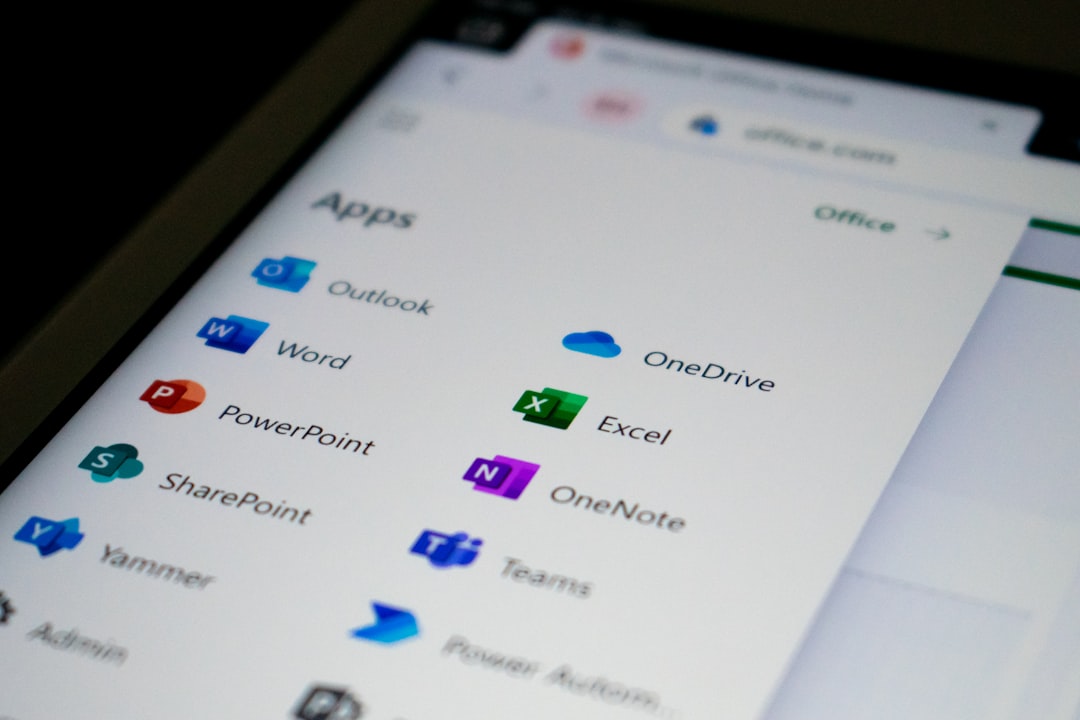
Microsoft 365 support is a specific and commonly requested component. A qualified MSP handles Microsoft 365 for small business environments by configuring email, managing user accounts and permissions, setting up Teams and SharePoint, and keeping licenses current. Backup for Microsoft 365 data is a separate service; Microsoft does not guarantee recovery of deleted data beyond a short retention window, so your MSP should be running a third-party backup tool against your Microsoft 365 tenant. A baseline 2026 managed IT contract should include Microsoft 365 backup as a standard item.
Microsoft 365 misconfigurations are among the most common security gaps we’ve seen in small-business environments: shared admin accounts with no MFA, mail forwarding rules left by former employees, and Teams guest access left wide open. These aren’t exotic vulnerabilities, and a good MSP catches them during onboarding.
What Managed IT Services Do NOT Cover
Hardware, Software Licenses, and Third-Party Vendor Costs
This is where contracts bite. Low pricing often hides critical gaps, especially in cybersecurity, backups, after-hours support, and compliance coverage. Most managed IT agreements are explicit: the monthly fee covers labor and management, not physical goods or third-party license fees.
Common MSP exclusions include any parts, equipment, or hardware costs; any software or licensing fees of any kind; any third-party vendor or OEM support fees; and any premises wiring services. If your server fails and needs a replacement drive, that hardware cost is typically billed separately. If your industry software vendor charges a per-incident support fee, that also falls outside your MSP agreement.
The practical action here: when reviewing any managed IT services quote, ask the provider to list the top five most common billable items that fall outside the monthly fee. Their answer will tell you more about the true cost than the per-user rate.
Major IT Projects and Infrastructure Overhauls
Scope creep occurs when the contracted work extends beyond the agreed terms, often resulting in increased costs and strained client relationships; to prevent it, providers clearly define the scope of services upfront. Managed IT is an operational service, not a project delivery service. Migrating your business to a new server environment, setting up a new office location, deploying a new VoIP phone system, or executing a full Microsoft 365 migration are project-based engagements that fall outside typical monthly agreements.
We’ve found that businesses are often surprised by this distinction. They assume that because their MSP manages their infrastructure, they also manage building it. The two have different skill sets, timelines, and price structures. Ask your provider upfront how project work is scoped and billed before you need it.
Line-of-Business Application Support
Most MSPs will provide general support for your operating system, hardware, network, and productivity tools. They will not provide Tier 2 support for your industry-specific software, legal case management platform, electronic health record system, or custom CRM. MSPs are not liable for the failure of third-party applications, and most contracts limit the dollar amount of liability accordingly.
Pro Tip: Ask your MSP to clearly define “supported applications” in writing during the contract phase. This prevents disputes when a line-of-business application breaks and both you and the provider assume the other is responsible.
Managed IT vs. In-House IT: The Real Cost Comparison
For businesses with fewer than 50 employees, managed IT is almost always cheaper than hiring in-house. A single in-house IT employee costs $85,000 to $120,000 per year, fully loaded, while an MSP for 20 users costs $42,000 to $54,000 per year and provides a full team of specialists rather than a single generalist. That math holds for most small businesses. Beyond 100 employees, the calculation becomes more nuanced depending on environment complexity.
According to CompTIA, over 80% of companies using MSPs cut IT costs by up to 49%, with 13% saving more than 50%, driven by reduced downtime and faster resolution. If you’re not seeing cost efficiency from your current managed IT arrangement, the problem is likely service scope, not the model itself. Either you’re overpaying for coverage you don’t use, or you’re underpaying and missing critical services.
Recent industry research shows that small businesses lose an average of $427 per minute during IT downtime, adding up to more than $25,000 per hour. Therefore, if your business averages even two hours of downtime per month, a low estimate for unmanaged environments, the cost of that downtime alone likely exceeds a monthly managed IT fee. Run those numbers before deciding an MSP is too expensive.
Pros:
- Predictable monthly cost replaces unpredictable break-fix expenses
- Access to a full team of specialists rather than one generalist hire
- Proactive monitoring catches issues before they cause downtime
- Cybersecurity tools and processes included at scale
- Compliance support for regulated industries
Cons:
- Hardware, software licenses, and project work billed separately
- Line-of-business application support usually excluded
- Contract lock-in can be a risk if the provider underperforms
- Response quality varies significantly by provider size and model
Pro Tip: Watch the proof gap, 96.6% of MSPs market cybersecurity, but only 9.2% hold a SOC 2 attestation. Ask any provider for the certificate, not just the claim.
Industry-Specific Managed IT: Healthcare and Law Firms
Managed IT for Healthcare
Healthcare organizations face unprecedented cybersecurity pressure, with proposed updates to the HIPAA Security Rule making backups, multi-factor authentication, encryption, and network segmentation mandatory by 2026. A standard managed IT package does not automatically satisfy these requirements. You need an MSP that operates as a HIPAA Business Associate, signs a Business Associate Agreement (BAA), and demonstrates documented compliance processes.
Healthcare ransomware attacks surged 55% in 2025, with the sector accounting for 22 to 27% of all incidents, making it the most targeted industry. Therefore, if you operate a clinic, private practice, or any healthcare-adjacent business, confirming that your MSP carries explicit HIPAA compliance credentials is not optional; it is a contractual and regulatory necessity. MSPs can provide HIPAA-related services including data encryption, access control, security software updates, network traffic monitoring, backup and disaster recovery, security audits, and incident response.
IT Security for Law Firms
Law firms handle privileged client communications, financial data, and sensitive case records, making them high-value targets. For businesses where IT downtime halts billable work, such as law firms during filing deadlines, the Service Level Agreement is a critical business continuity safeguard that protects hourly revenue.
IT compliance for law firms spans client confidentiality requirements, state bar cybersecurity guidance, and increasingly, cyber insurance requirements. We’ve found that law firms specifically benefit from MSPs who understand multi-factor authentication for remote access, encrypted document storage, and email security, all areas where small legal practices are frequently underprotected.

How to Evaluate a Managed IT Provider
When you’re comparing managed IT services, the monthly per-user rate is the last thing to evaluate. Start with these questions:
- What specific security tools are included, by name and vendor?
- Is cybersecurity managed in-house or outsourced?
- What is the documented response time for critical incidents?
- How is out-of-hours support handled, on-call staff or voicemail?
- What compliance frameworks does the provider actively support?
- What are the top five most common billable extras outside the monthly fee?
Datacate, Inc. is an example of a Sacramento-based MSP that takes a different approach on the outsourcing question. Datacate’s phones ring in its office, not in a remote call center; its network operations and helpdesk are right there in its Sacramento-area facility, one phone number to call for anything IT, with no outsourcing or subcontracting of services and support staff working 24/7 and responding to requests in as little as fifteen minutes. For businesses in the Sacramento area evaluating outsourced IT support, that model of local, owned infrastructure and non-outsourced delivery is worth considering.
Frequently Asked Questions
What is managed IT, and how is it different from regular IT support?
Managed IT services deliver continuous, proactive monitoring and management of your IT environment under a fixed monthly agreement. Regular IT support (often called break-fix) is reactive: someone calls a technician when something fails and pays by the hour. MSPs deliver proactive flat-rate monitoring and maintenance to prevent issues before they cause downtime, whereas break-fix charges hourly only after failures occur. The operational difference is significant: managed IT aims to prevent outages, while break-fix only responds to them.
What does managed IT actually cost for a small business?
Managed IT services typically cost $100, $400 per user per month in 2026, depending on the scope of support, cybersecurity tooling, after-hours coverage, compliance needs, and environment complexity. A 20-person company at a mid-range tier can expect to spend roughly $3,000 to $5,000 per month. The wide range reflects genuine differences in service depth; a $100/user plan and a $300/user plan cover very different things.
What is an IT helpdesk, and is it included in managed IT?
An IT helpdesk is the support function employees contact for technology problems, password resets, software issues, connectivity issues, and device troubleshooting. A proper 2026 managed IT contract includes unlimited helpdesk with published response SLAs and a defined out-of-hours route. Some lower-priced managed IT agreements cap helpdesk hours or restrict support to business hours only. Confirm coverage hours before signing.
Does managed IT cover Microsoft 365?
Microsoft 365 administration, user accounts, license management, Teams setup, and email configuration are typically included in managed IT agreements. Backup for Microsoft 365 data is usually a separate line item, since Microsoft’s native retention windows are limited. MSPs often bundle essential services such as security, data backup, and cloud management into a single integrated package, but verify whether Microsoft 365 backup is explicitly included in yours.
Is managed IT worth it for a business with no IT staff?
For businesses under 50 employees, managed IT is almost always cheaper than hiring in-house: a single in-house IT employee costs $85,000 to $120,000 per year fully loaded, while managed IT for 20 users costs $42,000 to $54,000 per year and delivers a full team of specialists. Beyond cost, the risk-mitigation argument is equally strong: 40% of SMBs say a cyberattack costing $100,000 or less would put them out of business, and an MSP provides the security infrastructure that most small businesses could never afford to build on their own.
Conclusion
Managed IT services cover a wide and genuinely useful range of functions, from 24/7 monitoring to cybersecurity to Microsoft 365 administration. The gaps, however, are just as real: hardware costs, software licensing, major IT projects, and line-of-business application support almost always fall outside the monthly agreement. Knowing this before you sign puts you in control of the conversation.
The bottom line is straightforward. Managed IT pricing in 2026 is about understanding how risk, security, and service design shape your total cost of ownership. Leaders who evaluate what is included, what is excluded, and how their provider is incentivized consistently make better IT decisions and avoid the hidden costs that derail budgets and operations.
If you’re a Sacramento-area business evaluating your options, Datacate, Inc. offers managed IT, cybersecurity, cloud services, and compliance support with a local team and owned infrastructure. You can reach them directly at their Sacramento IT support page to discuss your specific needs.
Sources
- Managed IT Services for Small Businesses 101, The Small Business Expo. Covers cybersecurity and staffing trends in MSP agreements. https://www.thesmallbusinessexpo.com/blog/managed-it-services-for-small-businesses/
- MSP Statistics 2026: 25+ Verified Managed IT Stats, CloudSecureTech. Covers market size, SMB adoption rates, and cybersecurity statistics. https://www.cloudsecuretech.com/insights/msp-statistics/
- Managed Services Market Size & Share Report, 2026-2033, Grand View Research. Market valuation and growth projections. https://www.grandviewresearch.com/industry-analysis/managed-services-market
- What is Included in Managed IT Services, Infrassist. Service scope and component breakdown. https://www.infrassist.com/blog/what-is-included-in-managed-it-services/
- Exclusions From Managed Services Clause, Law Insider. Standard MSP contract exclusions language. https://www.lawinsider.com/clause/exclusions-from-managed-services/\_2
- MSP vs Break-Fix IT: The True Cost Comparison, Synoptek. Break-fix vs. managed services cost modeling. https://www.connectwise.com/blog/how-msps-turn-proactive-it-services-into-profit
- Break-Fix vs. Managed IT: The Real Cost of Downtime, Pinpoint Tech. Downtime cost statistics for small businesses. https://pinpointtech.pro/blog/break-fix-vs-managed-it-downtime-costs/
- Managed IT Services Cost 2026, Datapath. Per-user pricing benchmarks and scope variables. https://www.mydatapath.com/blog/managed-it-services-cost-pricing-guide-2026/
- Managed IT Services Pricing: 2026 Real Costs Per User, MSP Companies. National averages and pricing tier breakdown. https://mspcompanies.us/blog/managed-it-services-cost-pricing
- Small Business Cyber Attack Statistics 2026, CNiC Solutions. SMB cybersecurity risk and breach cost data. https://cnicsolutions.com/statistics/cybersecurity/small-business-cyber-attack-statistics-2026/
- IBM Cost of a Data Breach Report 2025, IBM. Global and US breach cost data and findings. https://www.ibm.com/reports/data-breach
- Why Healthcare Needs Managed IT Support in 2026, MedicalITG. Healthcare ransomware statistics and managed IT requirements. https://medicalitg.com/hipaa-compliance/why-healthcare-needs-managed-it-support-in-2026-2/
- Ensuring HIPAA Compliance with Managed IT Services, NiciT Partner. HIPAA-specific MSP services and compliance scope. https://www.channelinsider.com/managed-services/hipaa-compliance/
- What Is Managed IT Support (2026 Guide), Red Eagle Tech. 2026 contract baseline components and service definitions. https://redeagle.tech/blog/what-is-managed-it-support
- Ultimate 2026 Guide to Managed IT Services Pricing, Solution Builders. Pricing structure, risk, and total cost of ownership. https://solutionbuilders.com/technology/2026-guide-to-managed-it-services-pricing/
- Datacate, Inc, Sacramento Managed IT Services, Datacate, Inc. Local MSP services and delivery model. https://www.datacate.com/your-trusted-partner-for-business-technology-services-in-sacramento-california/